
How TFind works
TFind is an Android app. It listens for the Bluetooth signals that Apple AirTags, Samsung SmartTags and Tile trackers give off, and shows you what's nearby. Here's what that does and doesn't cover — no marketing gloss.
Updated
 Free to download · Android 8.0+ · contains ads & optional Pro (subscription or one-time)
What it can spot
TFind reads three kinds of tracker: Apple AirTag, Samsung SmartTag and SmartTag+, and Tile. It recognises each one by the Bluetooth signal it broadcasts. Anything else — an iTag or other no-brand keyring tag, Chipolo, Pebblebee, generic Find My clones, or a tag that isn't actively broadcasting — it won't see.
People write it AirTag, Air Tag or air tag. It is the same Apple tracker, and TFind reads the same Bluetooth broadcast either way.
Matching works on the broadcast format, never on a model name — a Bluetooth advertisement does not carry one. So any model inside those three families is read by the same rule, and anything outside them is not read at all. The full rule, with the list of what is excluded, is on which trackers TFind detects. If what you actually want is AirPods, every Bluetooth device in the room, or a hidden camera, see which Bluetooth scanner app does which job.
How it measures distance
There's no GPS pin on a tracker. TFind estimates distance from signal strength and sorts it into bands, from right-next-to-you out to roughly 50–200 m. Signal bounces off walls and bodies, so the reading jumps around. Use it like a warmer/colder game while you walk, not a map. There's no ultra-wideband precision finding here — that's an iPhone-only trick for AirTags.
When it decides a tracker is following you
You pass dozens of trackers a day, and none of them matter. TFind flags one only when the same tag shows up near you more than once, spread out — by default at least 15 minutes and 200 m apart. Mark your own trackers as My Tags and they stop triggering alerts.
Playing a sound
For AirTags, TFind can play a sound so you can hear where the tag is — but only when the AirTag is separated from its owner. While its owner's iPhone is nearby, Apple keeps the tag quiet and no third-party app can beep it. The first three plays are free; after that it's part of Pro. SmartTags and Tiles don't expose a sound command over Bluetooth, so TFind guides you to those by distance alone.
Running in the background
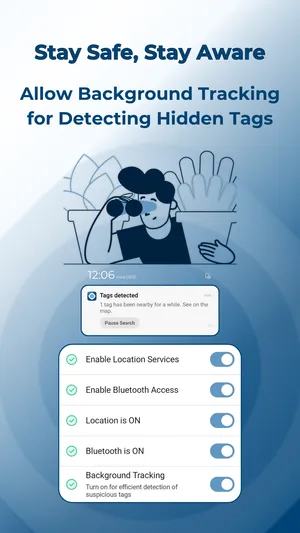
To keep watching after you switch away, TFind runs a scan with a visible notification. It can't scan silently once you close it, and leaving the scan running uses battery — a fair trade you get to choose. TFind needs Location permission to scan for Bluetooth devices, which Android requires.
Why TFind isn't showing what you expect
Most surprises come from how Bluetooth trackers behave, not from a bug. Here are the seven we get asked about most, answered straight.
Search shows "No results" even though my AirTag is right here
Two causes, both normal. An AirTag sitting next to its owner's iPhone broadcasts almost nothing, by Apple's design — TFind finds separated or unknown tags, not a tag resting beside its owner. And a separated AirTag only rebroadcasts about every 15 minutes. Wait a moment and move around.
Why does the same AirTag show up several times?
Trackers rotate the identifier they broadcast, so one physical tag can look like several entries over time. TFind shows what the air actually carries. Mark tags you own as My Tags to keep the list clean.
Why does a tag disappear from the list so quickly?
The list only keeps a tracker while it can still hear it. TFind drops a device after 60 seconds without a signal, or 15 seconds when the tag's owner is nearby. Bluetooth reaches roughly 5–10 m and walls block it, so a tag drops out and returns as you move.
Why am I not getting alerts?
TFind is deliberately slow to cry wolf. It flags a tracker only after seeing the same one near you at least twice, 15 minutes and 200 metres apart. A tag you walk past once never triggers an alert. Tags saved as My Tags are excluded on purpose.
Can I track tags in real time?
No, and no Android app can. There is no ultra-wideband precision finding here — TFind estimates distance from signal strength and walks you warmer or colder. Because AirTags broadcast intermittently, the reading updates in steps rather than continuously.
Is TFind free, or does it need a subscription?
TFind is free to download, and scanning is free. The free app shows ads, and the first three AirTag sound plays are free. Pro removes the ads and unlocks the map, unlimited sound plays and unlimited device tracking. Pro is sold either as a subscription or as a one-time lifetime purchase, so a recurring plan is not the only way to buy it.
The one-time lifetime purchase is US$33.99 on the US Play listing, read on . It was US$25.99 on September 14, 2026, so this price does move. Play also sets prices per country, so the figure on your own listing may differ. Play does not show the subscription prices publicly, so the app itself is the only honest place to read those.
Does TFind detect an iTag or other generic Bluetooth tag?
No. TFind reads exactly three broadcast formats — AirTag, SmartTag and Tile — and an iTag or other no-brand keyring tag uses none of them. It does not show up partly; it does not show up at all. Chipolo and Pebblebee are the same story, and so are tags on Google's Find Hub network.
Where your data goes
What TFind finds while scanning — the trackers around you, their signal, your location — stays on your device. It isn't sent to us or anyone else. The app does show ads and offers Pro, so Google's ad and analytics services (AdMob, Firebase) collect the usual app-usage and device data those involve. The privacy policy spells out exactly what each one handles.
On iPhone?
TFind is Android-only. If you're on an iPhone, use Apple's built-in tracker-detection and Find My safety alerts instead — there's no TFind iOS app.