
Google Find Hub trackers on Android — what TFind can and can't detect
TFind is an Android app that detects Apple AirTag, Samsung SmartTag and Tile over Bluetooth. It does not detect Google Find Hub tags.
Updated August 15, 2026
 Free to download · Android 8.0+ · contains ads & optional Pro (subscription or one-time)
TFind does not detect Google Find Hub trackers. It reads three tracker families over Bluetooth: Apple AirTag, Samsung SmartTag and SmartTag+, and Tile. A Find Hub tag is not one of them, and no scan will show it.
That is a straight no, and it is worth stating clearly, because plenty of Android tracker-detector apps imply they see everything. This one does not.
Why a Find Hub tag never shows up
Every Bluetooth tracker announces itself in its own format. TFind recognises three of those formats and ignores the rest. A Google Find Hub tag speaks a format TFind does not read, so the app does not see a weak signal or a partial match — it sees nothing at all.
The same goes for Chipolo and Pebblebee models built for Google’s network. They are not missing because they are far away or hidden. They are missing because TFind was never taught their format.
Find Hub is the new name for Find My Device
Google renamed Find My Device to Find Hub. Same network, same tags, new name. If you have read about Find My Device trackers, or you own a tag sold under that name, you are asking about Find Hub tags.
This is easy to tangle with Apple’s Find My, which is a different network belonging to a different company. AirTags are Find My. Google’s tags are Find Hub. TFind detects the first and not the second.
What to use for a Find Hub tag
Your Android phone already handles this one, and it does it better than any app could. Android sends unknown tracker alerts on its own, with nothing installed. The alert fires when somebody else’s tracker has been separated from its owner and is moving with you — and it covers trackers TFind cannot see. Android Help documents it under Find unknown trackers.
To find a Find Hub tag you own, use Google’s Find Hub app. That app locates your own devices and items. It is not built to warn you about somebody else’s tracker, so it does not answer the safety version of this question.
Where TFind is the right tool
TFind is worth having for the tags Android’s own alerts handle differently, and for checking a space on demand rather than waiting for a notification:
- You want to scan right now — a hotel room, a rental car, your bag — instead of waiting for an alert to arrive.
- You are looking for a Samsung SmartTag, which the AirTag-branded detector apps do not cover.
- You want to find your own AirTag and make it play a sound from an Android phone.
Start with what TFind detects and how, or read the comparison of Android tracker detector apps to see where each one stops.
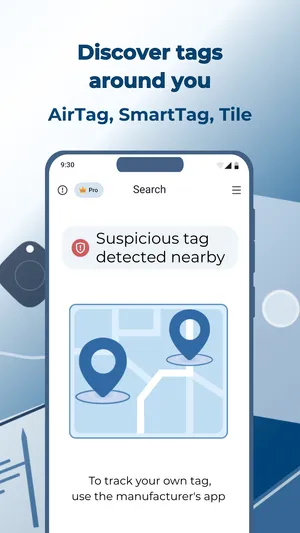
What works on Android — and what doesn't
Works on Android
- Detects Apple AirTag, Samsung SmartTag / SmartTag+ and Tile — three tracker families, read straight off their Bluetooth advertisements
- Tells you plainly when a tag is outside those families, rather than implying a scan covered everything
- Free to scan on any Android 8.0+ phone, with no Google, Apple or Samsung account
- Flags a tracker that keeps turning up near you, whichever of the three families it belongs to
Honest limits
- Does not detect Google Find Hub tags — the network Google renamed from Find My Device. TFind reads only the Apple, Samsung and Tile Bluetooth IDs, so a Find Hub tag is not decoded at all
- Chipolo and Pebblebee models built for Google's network are not detected either, for the same reason
- Android already sends unknown tracker alerts by itself. That system covers trackers TFind cannot see, so it is the better tool for this question
- Bluetooth reach is ~5–10 m and walls block it, so any scan needs you to move around
On iPhone? TFind is Android-only. On iPhone, use Apple's built-in tracker-detection and Find My safety alerts.
FAQ
- Does TFind detect Google Find Hub trackers?
- No. TFind reads three tracker families over Bluetooth — Apple AirTag, Samsung SmartTag and SmartTag+, and Tile. A Google Find Hub tag broadcasts in a different format that TFind does not decode, so it never appears in a scan. This is not a weak or partial detection; the tag is invisible to the app.
- Is Google Find Hub the same as Find My Device?
- Yes. Find Hub is the name Google now uses for what was called Find My Device. The app on Google Play is Google's Find Hub, and the tracker network behind it is the same one. If you read about Find My Device tags, those are Find Hub tags.
- How do I find an unknown Google Find Hub tracker on Android?
- Use Android itself. Your phone sends unknown tracker alerts without any app installed, and it covers trackers TFind cannot see. The alert arrives when someone else's tracker has been separated from its owner and is travelling with you. Android Help documents this under Find unknown trackers.
- Which trackers does TFind detect, then?
- Apple AirTag, Samsung SmartTag and SmartTag+, and Tile. Those three cover most of the tags people actually worry about on Android. TFind does not detect Chipolo, Pebblebee, Google Find Hub tags, or a tag that is not broadcasting at all.
- Can I use Google's Find Hub app to find someone else's tracker?
- No. Google's Find Hub app finds your own devices and items — your phone, your headphones, your tags. It is not built to warn you about a stranger's tracker. For that, Android's unknown tracker alerts do the work instead.